


Vincen - Your Super AI Agent
4.514.00 Reviews
App Specs
- Version
- 1.0.7
- Updated On
- License
- Free
- Downloads
- 10,000+
- Developer
- Apptribe Dijital
- Categories
- Productivity
- Platform
- Android
Screenshots
 Analysis by AppCompare
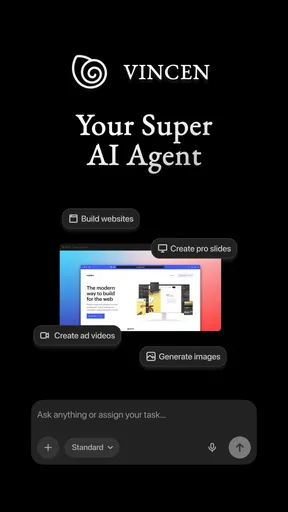
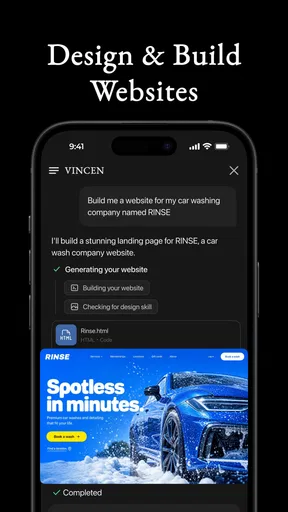
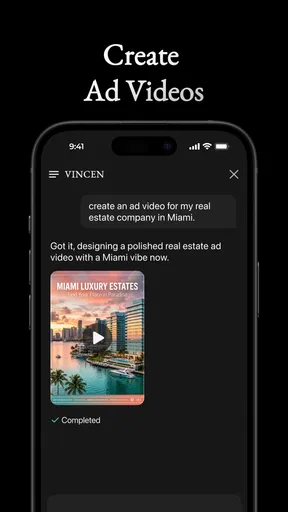
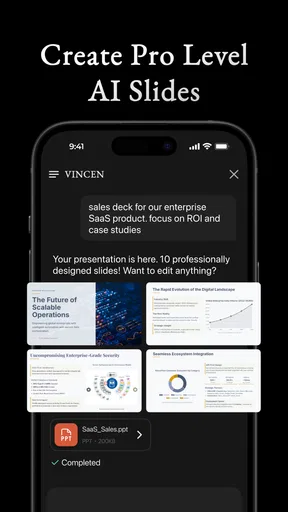
I approached Vincen - Your Super AI Agent as a practical productivity app rather than a tool I would open just to browse. Its promise is broad: helping create websites, slides, and videos from one place. That makes it interesting for someone who wants to turn an idea into a presentable result without moving between several specialist apps. My first impression was that Vincen is best understood as a starting point for creative work, not as a complete replacement for a web editor, presentation suite, or video workstation.
The app comes from Apptribe Dijital and is available free of charge, with optional in-app purchases ranging from $9.99 to $499.99 per item. That pricing detail matters because the free entry point makes experimentation easy, while the wide purchase range means I would check the available plan or feature limits carefully before using it for a serious project. It is rated for Everyone, so its general positioning is approachable for a broad audience, including students, independent creators, small teams, and people who are not comfortable with complicated creative software.
What to expect when you open Vincen
Vincen is not the sort of app I would choose if I already had a polished workflow in a dedicated desktop program. Its appeal is the connection between several kinds of output. A person may begin with a rough idea, shape it into a website, turn the same subject into slides, and then prepare a video concept without rebuilding everything from scratch in unrelated tools. That unified direction is the most useful thing about it.
For a first-time user, the important expectation is to arrive with a clear goal. “Make something about my business” is too loose to produce a useful first result in any AI-assisted app. I had better results when I thought in terms of an audience, a purpose, and an output: a simple landing page for a service, a short presentation for a class, or a brief promotional video for a local event. The more concrete the request, the easier it is to judge whether the result is actually helpful.
The app has a 4.5 average from over seven hundred ratings, and it has passed ten thousand installs. I see those figures as signs that Vincen has attracted real interest, but not as a guarantee that every workflow will suit every user. The product is still young enough that I would keep a critical eye on consistency, especially when moving between different types of projects.
One useful way to think about the app is as a creative accelerator. It can help me move past the blank page, organize a concept, and produce a draft that I can improve. That is different from expecting it to make final decisions about tone, accuracy, layout, or brand identity. I would always review the wording, check important claims, and inspect the visual result before sharing it publicly.
Who is likely to benefit most
Vincen makes the most sense for people who need a quick first version. A student preparing a presentation, a freelancer assembling a service page, or a small business owner testing a campaign can gain more from speed than from deep manual control. It is also appealing when the same idea needs several formats. Instead of treating a website, slide deck, and video as unrelated tasks, I can keep the central message consistent and adapt it for each audience.
Worth Reading Before You Choose

EA SPORTS FC Mobile 26 Is a Bigger Football Game, but It Takes Time

Flipboard Shows What News Apps Must Do Beyond the Feed

Switching to Android Auto Means Rethinking Your Driving Routine

Google Calendar Makes a Crowded Week Easier to Manage

Ludo King Makes the Most of the Minutes Between Plans

Baby Panda World Brings Quick Play to Modern Phones, but Its Game Library Feels Busy
I would be more cautious if I needed pixel-level design control, advanced video editing, detailed collaboration features, or a mature publishing pipeline. In those situations, a dedicated alternative will probably be stronger. Vincen’s value is in reducing the effort required to begin, not necessarily in handling every final production detail.
Getting through the first setup without overthinking it
After installing Vincen, I recommend starting with the smallest useful project rather than attempting a complete business campaign. Pick one outcome and define it in a sentence. For example, I might ask for a simple website introducing a tutoring service, aimed at parents, with a clear contact action. That gives the app enough direction while leaving room to inspect how it handles structure and presentation.
The app requires Android 7.0 or later, which keeps it accessible on many older Android devices. Its current version is 1.0.7. I would still make sure the device has enough free space and a stable connection before beginning a project, especially when the result involves several media elements. A smooth first session is easier when I am not also dealing with a nearly full phone or an unstable network.
During setup, I would avoid entering a large amount of personal or business information until I understand the workflow. Start with neutral sample content, learn how the app turns an instruction into an output, and then replace the sample details with real material. This is a sensible habit with any AI-assisted productivity tool because the first draft may need editing, and it prevents an early experiment from becoming tangled with sensitive information.
The free starting point is helpful for testing the basic experience. However, because individual in-app purchases can reach $499.99, I would not assume that every advanced capability is included at no cost. Before committing to a paid option, I would identify exactly what the purchase unlocks, whether it applies to one project or a broader workflow, and whether the improvement is important enough for my use case. That check is especially important for casual users who only need an occasional presentation or landing page.
A better way to describe your first idea
I found that a useful instruction has four parts: the format, the audience, the purpose, and the tone. “Create slides for a beginner-friendly workshop on budgeting, using plain language and a calm visual style” is much more actionable than “make a presentation about money.” The same method works for a website or video. It also makes the result easier to judge because I can compare it with the original goal instead of reacting vaguely to the design.
There is a second advantage to writing the request this way: it reveals what the app misunderstood. If the audience is wrong, I can correct that directly. If the tone is too formal, I can ask for a warmer version. If the structure is too long, I can request a shorter sequence. This is more effective than repeatedly asking for something “better,” which gives the tool very little useful guidance.
Reaching the first meaningful result
For a first successful action, I would choose a small website or a short slide deck rather than a full video. A compact project gives me a quick way to see how Vincen handles hierarchy, wording, and visual flow. Once the first draft appears, I would inspect it section by section instead of accepting it as finished. Look for an opening that explains the purpose, a middle section that supports the message, and a final action that tells the audience what to do next.
A realistic example would be a neighborhood photographer who wants to promote mini sessions. I would ask Vincen to create a concise page for families, explain the session format in friendly language, show what makes the offer useful, and finish with a simple inquiry prompt. The first result could provide the basic structure. I would then replace generic wording with real availability, correct any assumptions, and make sure the call to action matches the way I actually handle bookings.
If I were preparing slides for a class, I would use the first draft as an outline rather than presenting it immediately. The app may help divide a broad subject into manageable sections, but I would still verify facts, remove repeated points, and make sure each slide has one clear job. A good presentation is not simply a collection of attractive screens; it needs a logical progression that an audience can follow without the speaker reading every line.
Video creation deserves a slightly different approach. I would begin by deciding whether the goal is explanation, promotion, or storytelling. Those purposes require different pacing and language. A short promotional piece needs a quick opening and a clear benefit, while an educational video needs room for examples. Vincen can be useful for shaping the initial concept, but I would be especially careful with timing, narration, and visual accuracy before publishing.
The practical review step most beginners skip
My strongest advice is to review the output in the role of the intended viewer. On a website, can someone understand the offer within a few seconds? In slides, does each screen remain readable when viewed at a distance? In a video, does the message still make sense if the viewer sees only the opening? These checks uncover problems that are easy to miss when I am focused on the excitement of generating something quickly.
I would also keep a clean source note for facts, prices, dates, names, and claims used in the project. AI-generated wording can sound confident even when it needs correction. This is not a reason to avoid Vincen; it is a reason to use it as a drafting partner. The app saves time on structure and first-pass language, while I remain responsible for the details that affect trust.
Another less obvious workflow is to create the message before creating all three formats. First write the central promise in plain language. Then adapt that promise into a website heading, a slide title, and a video opening. This reduces the risk of producing three attractive pieces that communicate different ideas. Vincen is most useful here when I treat it as a way to explore variations while keeping one carefully chosen message at the center.
Where confusion and friction can appear
The broad “super agent” idea can make a first session feel less focused than a single-purpose app. In a conventional presentation editor, I already know that I am working on slides. In a website builder, the controls are usually organized around pages, sections, and publishing. Vincen brings several outcomes together, so I would expect to spend a little time learning how to frame requests and decide which result is the right starting point.
That flexibility can also create a quality trade-off. A tool that helps with websites, slides, and videos may produce a useful general draft across all three, but a specialist app will usually offer deeper control in its own area. If I need precise typography, complex responsive behavior, advanced transitions, or detailed timeline editing, I would move the project into a dedicated tool once the concept is clear. Vincen can shorten the path to that concept, but it may not be the final destination.
Another point of friction is the difference between a generated draft and a finished deliverable. New users may see a complete-looking result and assume the work is done. I would resist that temptation. Check spelling, replace placeholders, confirm that the audience is addressed correctly, and test whether the visual order supports the message. The faster the app makes a draft, the more important this human pass becomes.
The purchase structure is worth considering as part of the experience. Free access lowers the barrier to trying the app, but higher-priced individual purchases make it important to understand the value of any upgrade before paying. For someone experimenting once, a free workflow may be enough. For a freelancer or business that uses the app repeatedly, the decision should be based on how much time it saves and whether the resulting work needs extensive correction.
I would also skip Vincen if my main requirement is a highly controlled, offline-first production environment or a full professional editing suite. The app is better suited to idea development, rapid drafts, and lightweight production. It is not the obvious choice for someone who already has a carefully tuned workflow and wants exhaustive control over every element.
Turning the first draft into a repeatable workflow
Once I had a useful first result, my next step would be to build a small repeatable process. I would keep a short brief containing the audience, objective, tone, key facts, and desired action. Reusing that brief across a website, slide deck, and video helps maintain consistency while allowing each format to do its own job. The website can provide detail, the slides can guide a live explanation, and the video can deliver the quickest emotional introduction.
A practical refinement is to request alternatives one decision at a time. First ask for three opening messages, then choose one. Next refine the structure, then adjust the tone, and only afterward focus on visual polish. Changing everything at once makes it difficult to know which instruction improved the result. This staged approach also makes Vincen feel less like a mysterious generator and more like a tool I can direct.
I would save the strongest wording separately before experimenting with major changes. That protects the useful parts of a project when a later revision takes the idea in an unhelpful direction. It is a simple habit, but it matters in creative work because a quick variation can accidentally remove an important detail or flatten the personality of the original.
For teams, I would establish an approval point before anything is published or sent to customers. One person can judge clarity, another can check facts, and a third can review whether the tone fits the organization. Even a small team benefits from this separation because the person who created the draft is often too close to notice confusing sections. Vincen can speed up production, but a review process still protects the final result.
The app’s Everyone age rating makes it approachable for general audiences, but that should not be confused with automatic suitability for every professional context. A school project, personal portfolio, or simple announcement is a natural fit. A regulated business, sensitive campaign, or public-facing claim-heavy project deserves stronger human oversight regardless of the tool used.
My recommendation after using it as a beginner
I would recommend Vincen to a first-time creator who wants help moving from an idea to a presentable draft and who values having websites, slides, and videos in one productivity-focused app. The free entry point makes it reasonable to test, and the broad format support is more useful than a generic writing assistant when the final result needs a visual or structured form.
I would not recommend treating it as a one-click replacement for specialist software. Its best role is to help me find the shape of a project, produce an early version, and adapt one message into several formats. The final quality depends on how clearly I describe the goal and how carefully I edit what comes back. Users who enjoy that collaborative process are likely to get more from it than people looking for total automation.
My suggested path is simple: begin with one small project, use a precise brief, inspect the first result as a viewer, and only then consider more ambitious work or a purchase. That approach gives the app a fair test without committing money before its workflow proves useful. Vincen - Your Super AI Agent is most convincing when it removes the intimidating blank page and gives me something concrete to improve.
In the end, I see it as a promising bridge between an idea and a finished communication piece. It can help a beginner start confidently, help a busy creator explore options, and help a small business keep its message aligned across different formats. If I needed deep control from the first click, I would choose a specialist alternative. If I needed momentum and a practical first version, I would be happy to keep Vincen in my toolkit.
Pros
- Handles multiple tasks from one conversational interface.
- Can help draft
- summarize
- and organize information quickly.
- Useful for brainstorming ideas and creating first drafts.
- Reduces the need to switch between several productivity tools.
- Accessible for users who prefer natural-language commands.
Cons
- AI responses may occasionally be inaccurate or require fact-checking.
- Some features may depend on an active internet connection.
- Complex requests can produce vague or incomplete results.
- Privacy concerns may arise when sharing sensitive personal information.
- Advanced capabilities may require a paid plan or usage limits.
FAQs for Vincen - Your Super AI Agent
What is Vincen - Your Super AI Agent, and what can it do?
Vincen is an AI-powered assistant designed to help with everyday questions, writing, brainstorming, information searches, planning, and other productivity tasks. After testing the app, its main appeal is the conversational interface, which makes it possible to ask follow-up questions and refine results naturally. Its usefulness depends on the quality of your prompts and the features available in your current version.
Is Vincen - Your Super AI Agent free to download and use?
The application may be available to download at no initial cost, but some features, usage limits, or advanced capabilities can require a subscription or in-app purchase. Before relying on it regularly, check the pricing screen and subscription terms shown in the app store. Pay particular attention to trial periods, renewal dates, cancellation rules, and whether limits apply to messages or premium tools.
Does Vincen provide accurate and reliable answers?
Vincen can produce useful, well-written responses quickly, but it should not be treated as an unquestionable source of truth. Like other AI assistants, it may misunderstand a request, provide incomplete information, or confidently generate inaccurate details. Always verify medical, legal, financial, academic, and current-event information with trustworthy sources before making important decisions or sharing the results.
What personal information does Vincen collect or require?
The information collected can vary according to the app version, account system, device permissions, and the service provider’s privacy policy. Conversations, account details, technical data, and usage information may be processed to operate or improve the service. Review the privacy policy before entering sensitive personal, financial, workplace, or confidential information, and grant only permissions that are genuinely necessary.
Does Vincen require an internet connection, and is it available on Android and iOS?
AI assistants such as Vincen generally need an active internet connection because requests are processed through online servers rather than entirely on the device. Performance can therefore depend on connection quality, server availability, and account status. Check the official Google Play Store or Apple App Store listing for supported devices, operating-system requirements, regional availability, and the latest compatibility information before downloading.


